4.1. Snack Chaser
Create or sign in to your Scratch Online account then remix the Snack Chaser template into your own account the first time. After that you can go straight to your Scratch Online account and use it from there.
Hint
Scratch Online (link for creating an account first)
Snack Chaser template (link for remixing the first time)
Scratch Online (link for signing in and continuing with your project from the folder icon)
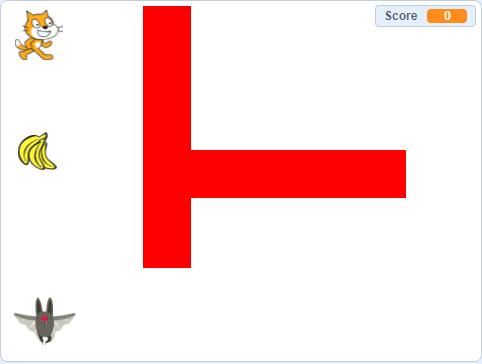
Just a picture of the game template
4.1.1. Editing the sprites
One of the simplest ways of starting is editing existing sprites. When you select a sprite, you can switch between ‘code’ and ‘costume’ tabs towards the top left. If you delete the sprite or add your own you will lose the code associated with it so you might be better editing the costume of the existing sprites. You can tweak them or complete change them and it saves you the headache of re-writing all the required code.
Experiment with editing the different sprites or adding your own and practise testing as you go along. It is not as simple as it sounds, there are many tripping points. For example excess whitespace on edited sprites can cause strange actions when the characters move.
Note
There is a bug in the game that sometimes causes the main sprite to jump to the other side of a barrier or glitch along it. This is because the game was coded in a way to make it accessible for you to be able to understand and extend easily. If the sprite is an irregular shape, when it rotates it is then sometimes touching the red bar which then triggers another response from the code.
4.1.2. Duplicating the sprites
Duplicating existing sprites such as the bananas or bats is an easy way of extending the game. They have the code already set up so you right click on them in the sprite panel and duplicate.
For the bananas that’s all you need to do, other than moving them to the positions you want. The score will increment automatically because the code is already set up on them. Unless you want a bonus point sprite in which case you will edit that to look different and change the points value.
For the bat, the glide coordinates will be the same so they will move to be on top of each other. You need to edit the glide coordinates in the code to get them to move a different path.
4.1.3. Editing the maze
On the stage, it is possible to edit or duplicate the red blocks to create a better maze. If you would like to change the colour of the red blocks you will need to change the colour sensed by the character otherwise it will just move over it.
4.1.4. Developing the game
The initial game is a great base for you to develop and extend your own game idea. Often, the simplest ideas are the best - better to have a simple idea that works reliably than a really complicated idea you are not able to implement.
That’s not to say you should not challenge yourself, you should just keep it real. You might:
Add alternative characters
Change the maze colour/style
Change the theme of the game
Create a winning page when a certain score is reached
Change the game controls
Add a character that follows you
Add a second level
Add a secret portal